
Download Brickd – Free LEGO Avatar Maker, Online LEGO Minifigure Generator
Overview
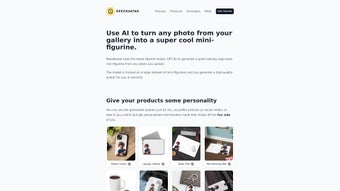
Brickd is a browser‑based creative tool that transforms ordinary portrait photos into fully‑styled LEGO minifigure avatars in seconds. The service was built for anyone who enjoys the playful aesthetic of LEGO bricks – from social‑media enthusiasts looking for a fresh profile picture to graphic designers seeking a quirky illustration for a client project. By simply dragging an image onto the web page, Brickd’s AI‑driven engine analyses facial geometry, skin tones, and hair outlines, then reconstructs the subject using the classic blocky LEGO style.
The output retains a recognizable likeness while adding the unmistakable charm of LEGO’s iconic studs and proportions. Because Brickd lives entirely in the cloud, there is no need to download or install heavyweight software; any modern browser that supports HTML5 can run the application, making it compatible with Windows, macOS, Linux, Android, and iOS devices. The platform offers a generous free tier that allows unlimited personal conversions, while a low‑cost premium plan unlocks higher‑resolution assets, commercial usage rights, and exclusive seasonal brick packs.
A vibrant community gallery further enriches the experience by letting users showcase their creations, collect inspiration, and interact through comments and likes. Overall, Brickd blends speed, simplicity, and community to bring the world of LEGO into everyday digital life.
Key Features of Brickd
Brickd’s feature set is deliberately focused on delivering a fun yet professional‑grade avatar creation workflow. Whether you are a casual user or a branding specialist, the tools are intuitive, and the results are high‑quality. Below is a detailed look at the capabilities that set Brickd apart from generic image editors.
- Instant Photo‑to‑LEGO Conversion: Upload a portrait and receive a LEGO‑styled avatar in under a minute, thanks to optimized AI processing.
- High‑Resolution Export Options: Choose PNG for quick sharing or SVG for vector‑based editing; premium users can download up to 4K resolution.
- Customizable Brick Elements: A library of hats, helmets, weapons, and facial expressions lets you fine‑tune each avatar to match personal style or brand guidelines.
- Community Gallery & Inspiration Hub: Browse thousands of user‑generated avatars, filter by theme, and collect ideas for your own designs.
- Cross‑Platform Accessibility: Fully functional on Windows, macOS, Linux, Android, and iOS browsers without any plugins or extensions.
- Privacy‑First Design: Images are processed in memory and automatically erased from servers within five minutes of conversion.
- Unlimited Free Tier: No hidden caps for personal use; the free plan includes all core features, with premium add‑ons available for commercial needs.
- Responsive Mobile‑First UI: The interface adapts to any screen size, allowing avatar creation on tablets, phones, or desktop monitors.
- One‑Click Social Sharing: Directly publish your LEGO avatar to Instagram, Twitter, Discord, or copy an embed code for blogs and forums.
- Regular Content Updates: New brick styles, seasonal accessories, and themed packs are added monthly to keep the experience fresh.
Each feature has been crafted with both creativity and practicality in mind, ensuring that whether you need a quick fun avatar or a polished asset for marketing, Brickd can deliver it securely and efficiently.
Installation & Usage Instructions
Because Brickd runs entirely in the cloud, there is no traditional installation required. All you need is a stable internet connection and a modern web browser (Chrome, Firefox, Edge, Safari). Follow the step‑by‑step guide below to start creating your LEGO avatar in just a few minutes.
- Navigate to the Brickd website: Open brickd.com in any supported browser.
- Sign up or continue as a guest: While the platform allows guest conversions, registering an account lets you save your creations, access premium features, and participate in the community gallery.
- Upload your source image: Click the “Upload Image” button, select a high‑resolution portrait (JPEG, PNG, or WebP, max 10 MB), and wait while the AI analyses facial landmarks.
- Fine‑tune the avatar: Use the side panel to add accessories, change brick colors, switch between “Classic LEGO” and “Modern LEGO” styles, or manually edit individual bricks for precise control.
- Export your final design: Choose “Download PNG” for a ready‑to‑share file, “Download SVG” for vector editing, or select the 4K option if you have a premium subscription.
- Share or embed: One‑click buttons let you post directly to social networks or copy an embed snippet for websites, forums, or e‑learning platforms.
Tips for optimal results: Use a well‑lit, front‑facing photo with a neutral background. Clear facial features improve brick mapping accuracy, and if the automatic conversion misses a detail, the built‑in manual editor lets you adjust individual bricks with drag‑and‑drop precision.
Compatibility: Brickd works on Windows 10/11, macOS Ventura and later, most Linux distributions with a recent kernel, Android 9+ and iOS 13+. No additional plugins, Java, or Flash are required, making it truly universal.
Pros & Cons
Pros
- Instant conversion with no software download required.
- Generous free tier that supports unlimited personal avatars.
- High‑resolution PNG and vector SVG exports suitable for print and merchandise.
- Extensive library of accessories, hats, and seasonal brick packs.
- Privacy‑focused processing; images are deleted automatically after conversion.
- Active community gallery that encourages sharing and feedback.
- Responsive design works seamlessly on desktop, tablet, and mobile devices.
- One‑click social media integration simplifies sharing across platforms.
- Regular updates introduce new brick styles and thematic collections.
- Affordable premium plan for commercial licensing and ultra‑high‑resolution assets.
Cons
- Premium features (commercial rights, 4K export) require a subscription.
- Complex or cluttered backgrounds can confuse the auto‑detect algorithm.
- Only LEGO‑style avatars are available; other artistic styles are not supported.
- Continuous internet connection is necessary for every conversion.
- Manual editing, while powerful, may have a learning curve for first‑time users.
Brickd delivers a delightful mix of speed, creativity, and community spirit. The free version is surprisingly robust, and the premium upgrade is reasonably priced for professionals needing commercial rights. While the need for a stable internet connection and occasional misinterpretation of busy backgrounds are minor drawbacks, they are far outweighed by the fun factor, quality of output, and the platform’s commitment to privacy and regular feature updates.
FAQ
Is Brickd completely free to use?
Yes, Brickd offers an unlimited free tier for personal avatars. Premium plans are optional and only required for commercial licensing, higher‑resolution downloads, and exclusive accessories.
Can I use a Brickd avatar for commercial projects?
Commercial usage is allowed with a paid subscription. The premium license grants rights to incorporate the avatar into marketing materials, merchandise, and client deliverables.
What image formats does Brickd accept?
Brickd supports JPEG, PNG, and WebP files up to 10 MB. For best results, upload a high‑resolution portrait with clear lighting and a simple background.
Are my uploaded photos stored on Brickd’s servers?
Uploaded images are processed in memory and automatically deleted from the server within five minutes after conversion, ensuring strong privacy protection.
Can I edit the LEGO avatar after it’s generated?
Yes, Brickd includes a manual editor that lets you adjust brick colors, add or remove accessories, and fine‑tune facial features before exporting the final file.
Do I need a powerful computer to run Brickd?
No, because all processing happens in the cloud. Any device capable of running a modern browser can use Brickd, from low‑end laptops to smartphones.
Conclusion & Call to Action
Brickd stands out as a niche yet highly engaging tool that bridges personal branding with playful LEGO design. Its web‑based architecture eliminates the friction of downloads, while the intuitive UI makes avatar creation approachable for users of all skill levels. Whether you’re a social‑media enthusiast seeking a fresh profile picture, a designer looking for a quirky illustration, or a LEGO fan eager to see yourself in brick form, Brickd delivers quickly, securely, and with a smile.
For professionals needing higher resolution or commercial rights, the affordable premium plan offers a logical next step. Ready to transform your portrait into a LEGO minifigure? Visit Brickd now, upload your photo, and start building your digital LEGO identity for free!



.png)



